
macOS 14 or later

Nothing goes until
you say so.
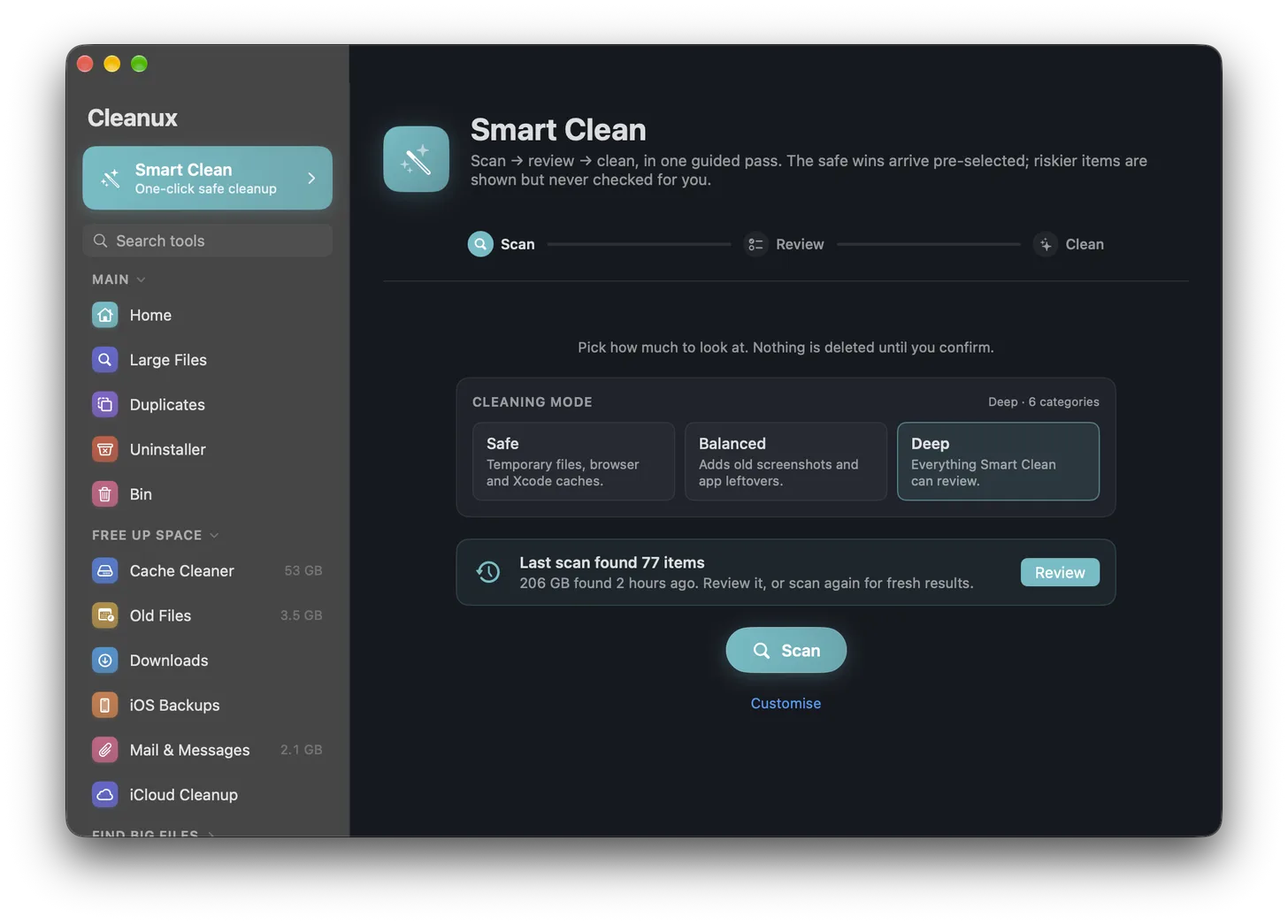
The Smart Clean screen in Cleanux, with scan, review and clean steps across the top and a choice of Safe, Balanced or Deep cleaning modes.

Cleanux works out where your disk space has gone, then shows you exactly what it would remove. Full paths, real sizes. Then it stops and waits for you to tick things. It won't delete anything by itself, and it doesn't phone home.

£9.99 one-time

Pay once and that is the end of it. No subscription, no account to make. The trial runs 14 days, and scanning carries on working free even after it expires.

Version 1.0.0 · 4.1 MB · macOS 14 or later

Most Mac cleaners ask you to trust them.

They show you a big number and a big button, and whatever happened in between is your problem. Cleanux puts the list in front of you instead. That is more or less the entire pitch.

You see the actual paths

Not "System Junk, 4.2 GB". The actual file, where it lives, how big it is, and a line on what you'd lose. Every location it is even allowed to look at is published on this site.

Nothing important pre-ticked

Safe things come ticked. Everything else does not, however much space it would save. If you would notice it going, Cleanux is not going to tick it for you.

A log you can check

Every deletion goes into a log on your Mac. The entries are chained, so if one is altered the rest stop adding up and the app says so. Changed your mind? Restore Centre puts it back.

What Cleanux won't do

This corner of the Mac software world has a reputation and it is mostly deserved. So here is what we don't do. The same list is in the app.

✕

No RAM or "memory cleaning"

There is nothing to free. macOS is using that memory on purpose, and shoving it out just means waiting longer the next time you open something.

✕

No "speed up your Mac" claims

You get space back. That is it. A healthy Mac does not run faster for having more of it, whatever the ads say.

✕

No inflated "junk found" numbers

Some cleaners count purgeable space, which macOS would have reclaimed by itself the moment you needed it. We don't.

✕

No telemetry

One network call, to see if there is a newer version. That is the lot.

✕

No silent deletion

You tick it, you confirm it, then it goes. And it is in the log either way, so you can see what happened and undo it.

✕

No scare alerts

No red "your Mac is at risk" badges, no countdown timers, nobody nagging you to upgrade.

Run the lot, or just the bit you need

Smart Clean is the one-pass version: it scans, shows you what it found, and cleans whatever you have ticked. If you would rather poke about yourself, every tool it uses is sitting there on its own.

Caches

User, developer, IDE, media and browser caches, mail downloads, system diagnostics. It leaves bookmarks, passwords and history alone.

Large Files

Anything over a size you set, wherever you point it. Biggest first.

Duplicates

Byte-identical files, exact copies sitting in your Photos library, and near-identical images that a byte comparison walks straight past.

Uninstaller

Takes the app and the bits it scattered around your Library. It also shows when you last opened each one, which can be sobering.

Disk Usage

Burrow into any folder and see where it all went. Read-only, so it cannot delete anything even if you want it to.

Restore Centre

Everything Cleanux has ever moved to the Bin, and a button to put it back.

Try it for two weeks

The trial is the full app, not a crippled version of it. After 14 days the scanning still works, indefinitely. Cleaning is the part that needs a licence.

Needs macOS 14 or later, Apple silicon or Intel.
Signed and notarised by Apple. Your key is shown on screen the moment you pay, emailed to you as well, and doesn't expire.

Version 1.0.1, 4,397,828 bytes
SHA-256 cf7dbccaeeec5f1ca5a9babaa95161b3706fdae5793de001801f7b3d93f8d31f